

Winamp over the years has become world's most famous player. It's very stable and reliable comparing to any other player. But do you know everything about winamp's settings? I think most people doesn't know these 2 tricks:
Minimize Winamp to tray
If you listen to music all the time computer is on you may not need winamp to sit on your desktop and waste space. Instead minimize winamp to tray or completely hide program from seeing. To do that go Winamp's preferences by right clicking on player and selecting Options->Preferences. 
Check Show Winamp in System Tray option and close preferences window. 
Now when you minimize Winamp it goes to your system's tray and doesn't bother while working with computer.

Create playing order for songs
You don't need to manually drag songs one after another by hand to make them play in your own preference. There is a handy trick to create that order by holding Alt key and left clicking on songs in the playlist.
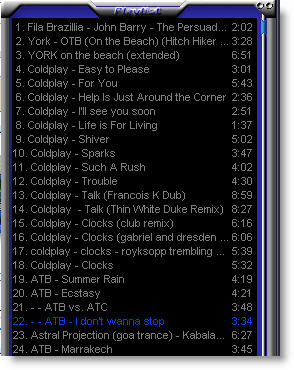

Compare these 2 playlists. When you create a new playing row of songs small numbers appear near the song's lenght. They mean in what sequence songs will be played. So when song ATB - I don't wanna stop ends instead of playing 23rd song Winamp will go to song No. 3 then to 11 - 7 - 24 - 14 and when track 14 (Coldplay - Talk) ends Winamp will continue to play normally from 14 and down (if shuffle is not enabled)


