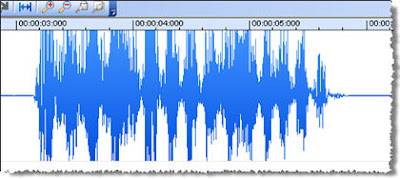
This trick will help you to record any sound that is coming from computer speakers. For exmple if you want to save only sound from Youtube movie or just record song from winamp internet radio. The method records sound almost with no losses of sound quality.
You will need:
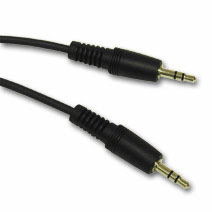
- One 3.5 mm stereo audio cable. Your computer speakers probably are connected with it but if not, buy it from your local store.
- Any audio recording program of your choise (it can be Nero Wave editor, Windows Sound Recorder, other)

At first connect your computer's in and out jacks with the 3.5mm audio cable.


Now open the recording program and set it ready to record sound. Press record button and quickly load the source of sound which you want to record (press play Youtube movie or internet radio radio).
Explanation. The connected in and out jacks acts like a microphone but the sound loss is minimal because it doesn't go through the air, only small fraction is lost in transmision through the 3.5mm audio cable. You can't save only sound from Youtube movies, internet radio, game tracks or else sources without special technique or software. But this trick fools the computer because it doesn't know that it's recording itself. So when you are done with recording press stop and edit audio file in the editor window (cut silence from beginning or add some sound effects).
IMPORTANT! If you do everything as explained and no sound records make sure you enabled recording option from your Volume Control. Go to Start->All programs->Accessories->Entertainment->Volume control->Options->Properties->Recording tab->Check Line in

Related reading:
Save Flash Games
Save flash elements with FF
Save movies from Youtube
Flash from sites saving



 Apart those one the niciest feature about VideoSpin is that it can upload your rendered video straight to Youtube and Yahoo! Videos. You just have to enter your login details, video title and description, and VideoSpin will take care of the rest.